
Download Real Desktop – 3D desktop, desktop organization, digital workspace, productivity tool, virtual workspace
Overview
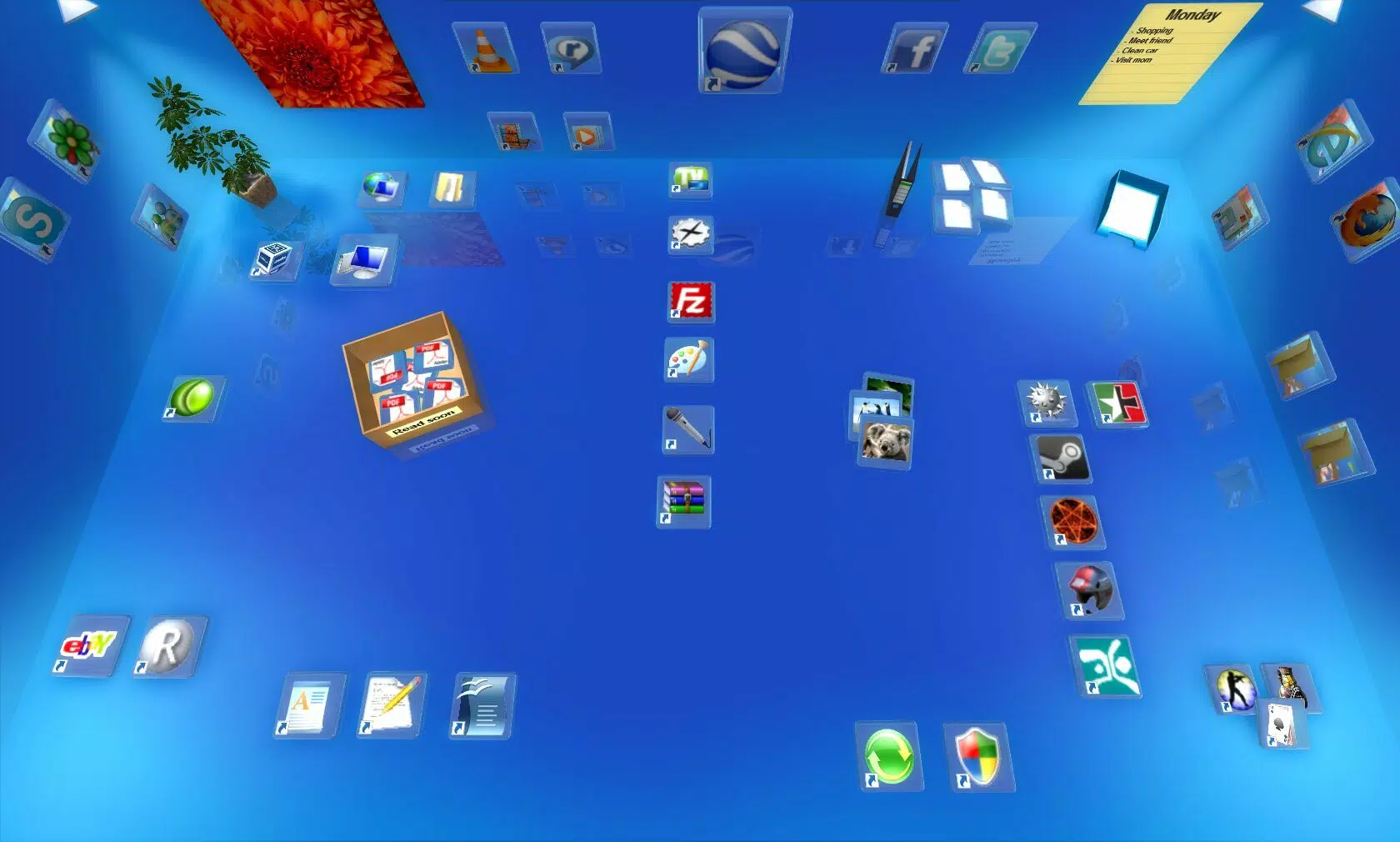
Real Desktop redefines the way users interact with their computer environments by transforming the traditional desktop into a dynamic 3D workspace. Designed to enhance both usability and engagement, the app allows users to manipulate digital icons as if they were physical objects, promoting a more intuitive and immersive computing experience. This innovative approach addresses common challenges associated with digital clutter and inefficient file management, offering a solution that is both visually appealing and functionally effective.
The app is tailored for a broad audience, including professionals managing complex workflows and casual users seeking a more enjoyable digital environment. By simulating a real desk with stackable, movable icons, Real Desktop helps users maintain focus and reduce cognitive load. Its emphasis on organization and personalization makes it a valuable addition to any digital workspace.
The developer, Real Desktop, has positioned the app as a productivity-enhancing utility that bridges the gap between functionality and aesthetic appeal. Although the developer did not provide additional technical details, the app’s core purpose is clear: to create a more engaging, efficient, and visually organized computing experience. Real Desktop fits into the growing ecosystem of digital productivity tools by offering a fresh perspective on desktop interaction, appealing to users who value both performance and design.
Key Features & Functionality
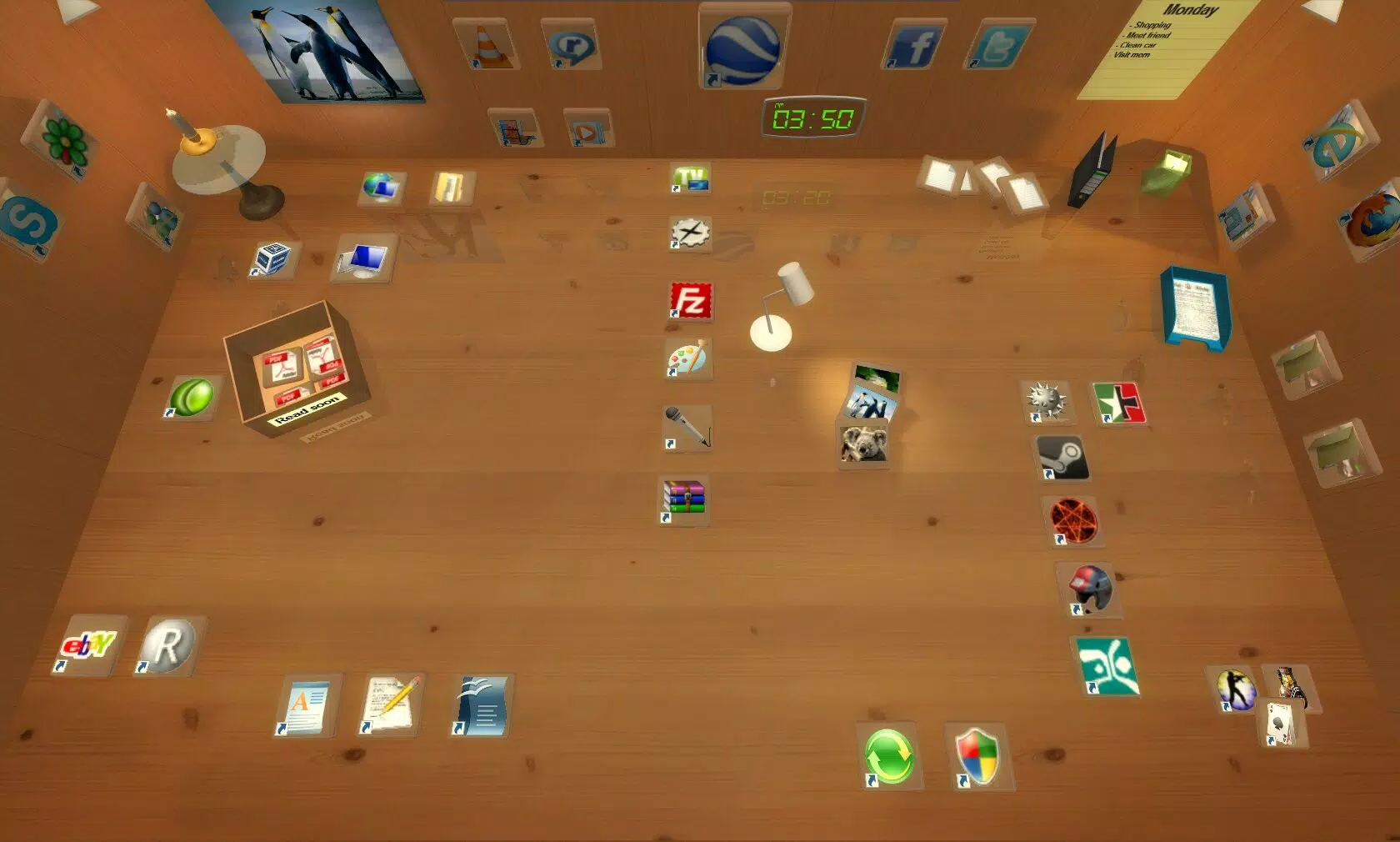
- Realistic Interaction: Icons on the desktop behave like tangible objects, allowing users to move, stack, and rearrange them with natural gestures. This simulates a physical desk environment, making digital organization feel more intuitive and satisfying.
- Enhanced Productivity: By promoting a clean and structured workspace, Real Desktop reduces distractions and streamlines access to frequently used files and applications, enabling users to maintain focus and improve workflow efficiency.
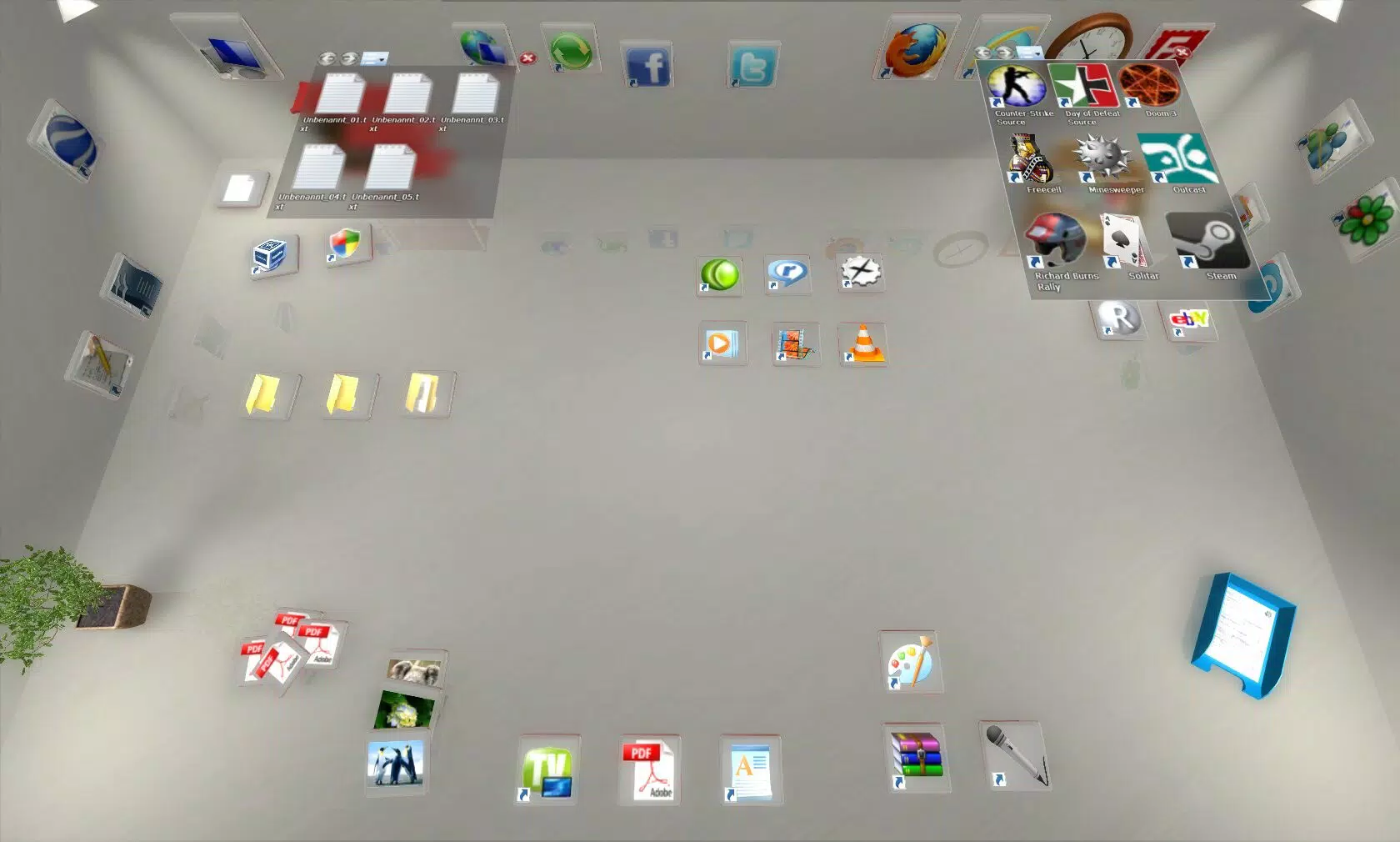
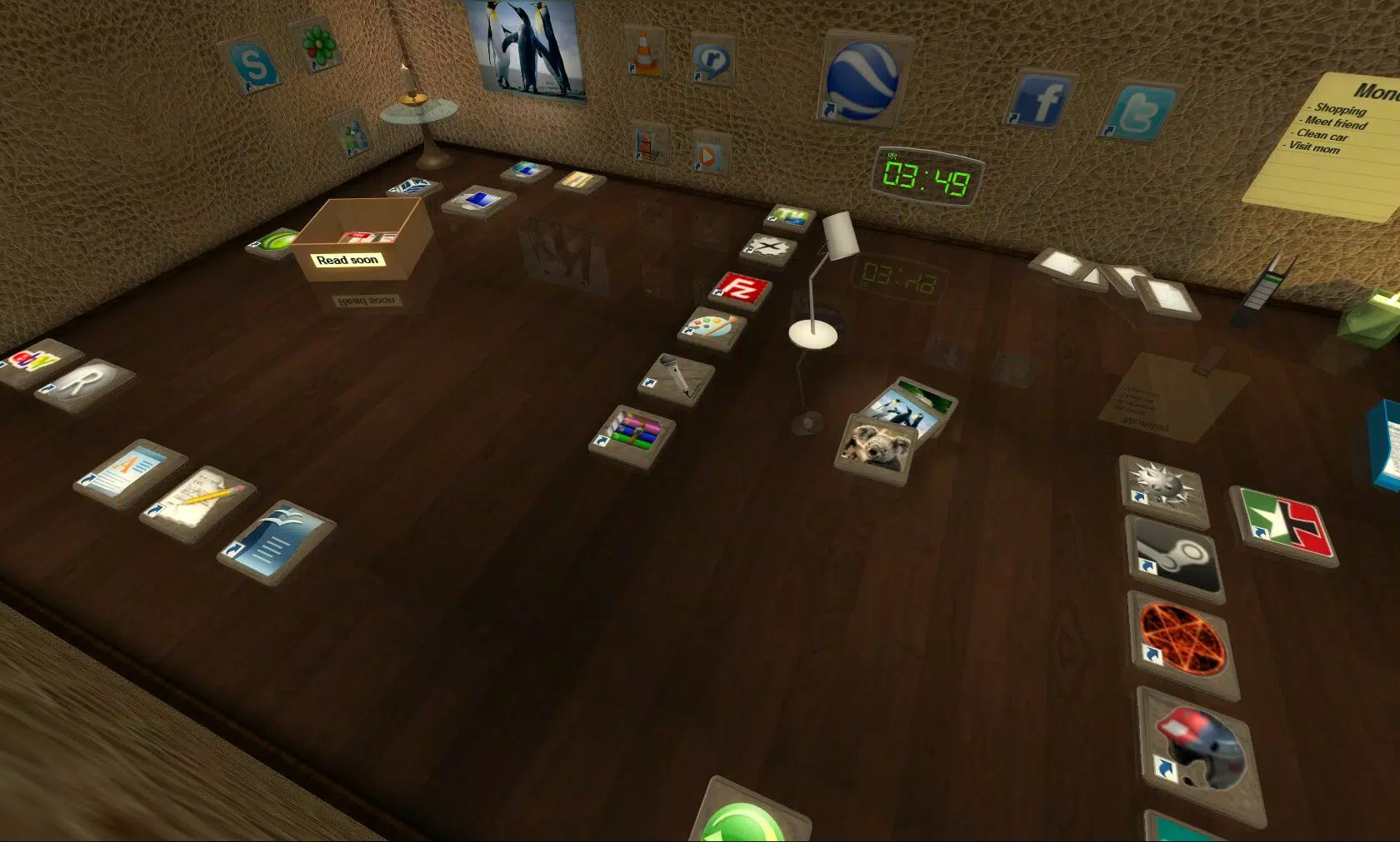
- Personalized Customization: Users can tailor the appearance of their virtual workspace with various design themes, decorations, and layout options, allowing for a unique digital environment that reflects individual or professional preferences.
- Intuitive File Management: The app introduces virtual rooms that represent different folders, offering a visual and spatial method of organizing files. This layout simplifies navigation and makes locating documents significantly easier than traditional file browsing.
- Universal Accessibility: With a user-friendly interface, Real Desktop is suitable for both experienced users and those new to advanced desktop customization, ensuring broad appeal across different user demographics.
For example, a graphic designer might use the 3D workspace to group project files into separate virtual rooms, each representing a different client or phase of development. A student could stack notes and assignments on a virtual desk surface, organizing them by subject and due date. These practical applications demonstrate how Real Desktop supports real-world productivity without requiring complex setup or technical knowledge.
Interface, UX & Performance
The user interface of Real Desktop is designed with simplicity and visual clarity in mind, featuring a clean layout that emphasizes spatial interaction over traditional menu hierarchies. The visual style leans toward realism, with smooth animations and depth effects that enhance the 3D illusion. Navigation is primarily gesture-based, allowing users to drag, rotate, and stack icons with intuitive motion.
This approach reduces the need for multiple clicks and supports a fluid workflow. Although the developer did not list formal performance metrics, the app’s lightweight file size of 45.6 MB suggests efficient resource usage. The interface responds promptly to user input, maintaining stability even during complex interactions such as stacking multiple icons or switching between virtual rooms.
Performance across different device categories appears consistent, though specific hardware requirements were not disclosed. The app maintains responsiveness during extended use, with no reported lag or crashes in the available information. Stability is further supported by the app’s free pricing model, which may indicate a focus on accessibility and broad adoption.
Overall, the UX prioritizes ease of use, making it accessible to users of varying technical skill levels. The combination of visual appeal and functional responsiveness contributes to a satisfying and engaging experience.
Platform Compatibility & Technical Requirements
Real Desktop is available exclusively on the Windows platform. The current software version is 1.2.3, with a file size of 45.6 MB, indicating a lightweight installation. The app is offered at no cost, making it accessible to a wide audience.
Specific system requirements, such as minimum OS version or hardware specifications, were not listed by the developer. As a result, compatibility with older or newer Windows systems remains unclear. The developer did not specify whether the app supports Windows 10, Windows 11, or other variants.
Similarly, no details were provided about processor, RAM, or graphics capabilities. While the small file size suggests broad compatibility, users are advised to verify system requirements through official channels before installation. The lack of detailed technical information may limit users with specific hardware configurations, but the app’s free nature reduces the risk of investment.
For those seeking a lightweight, immersive desktop enhancement, Real Desktop presents a low-barrier entry point.
Pros and Cons
Pros
- Transforms the standard desktop into an interactive 3D workspace, enhancing user engagement.
- Offers intuitive file management through virtual rooms and spatial organization.
- Supports personalization with customizable themes and visual elements.
- Lightweight installation at only 45.6 MB, suitable for devices with limited storage.
- Free to download and use, promoting accessibility and broad adoption.
Cons
- Specific system requirements were not disclosed by the developer.
- Compatibility with older or newer Windows versions is unclear.
- Limited information on performance across different hardware configurations.
- No details on update frequency or long-term support plans.
- Visual effects may not be fully optimized on lower-end devices without additional specifications.
FAQ
Is Real Desktop safe to install?
Yes, the app is available for free and is distributed through official channels. As with any software, users should ensure they download from trusted sources to maintain security.
Can I use Real Desktop on older versions of Windows?
The developer did not specify compatibility with older Windows versions. Users are advised to check system requirements before installation.
Does Real Desktop require an internet connection?
While the app is free and does not appear to require constant connectivity, certain features may benefit from online updates or cloud-based customization. However, core functionality operates offline.
How often is Real Desktop updated?
Specific update frequency was not provided. The current version is 1.2.3, and users are encouraged to monitor official sources for future releases.
Can I uninstall Real Desktop easily?
Yes, like any standard Windows application, Real Desktop can be uninstalled through the system’s built-in apps and features menu without complications.
Final Thoughts
Real Desktop stands out as a fresh and innovative approach to desktop management, blending productivity with visual creativity. By turning the digital workspace into a dynamic 3D environment, it offers a compelling alternative to traditional desktop layouts. Its intuitive interface, customizable design, and emphasis on organization make it particularly valuable for professionals and students who manage multiple tasks and files.
The app’s lightweight nature and free pricing model further enhance its appeal, lowering the barrier to entry for users across different technical backgrounds. While some technical details remain unspecified, the core experience is clear: a more engaging, efficient, and enjoyable way to interact with your computer. For anyone seeking to transform their digital workspace into a personalized, productive environment, Real Desktop delivers a meaningful upgrade.
Download Real Desktop now.


